 LotsAgent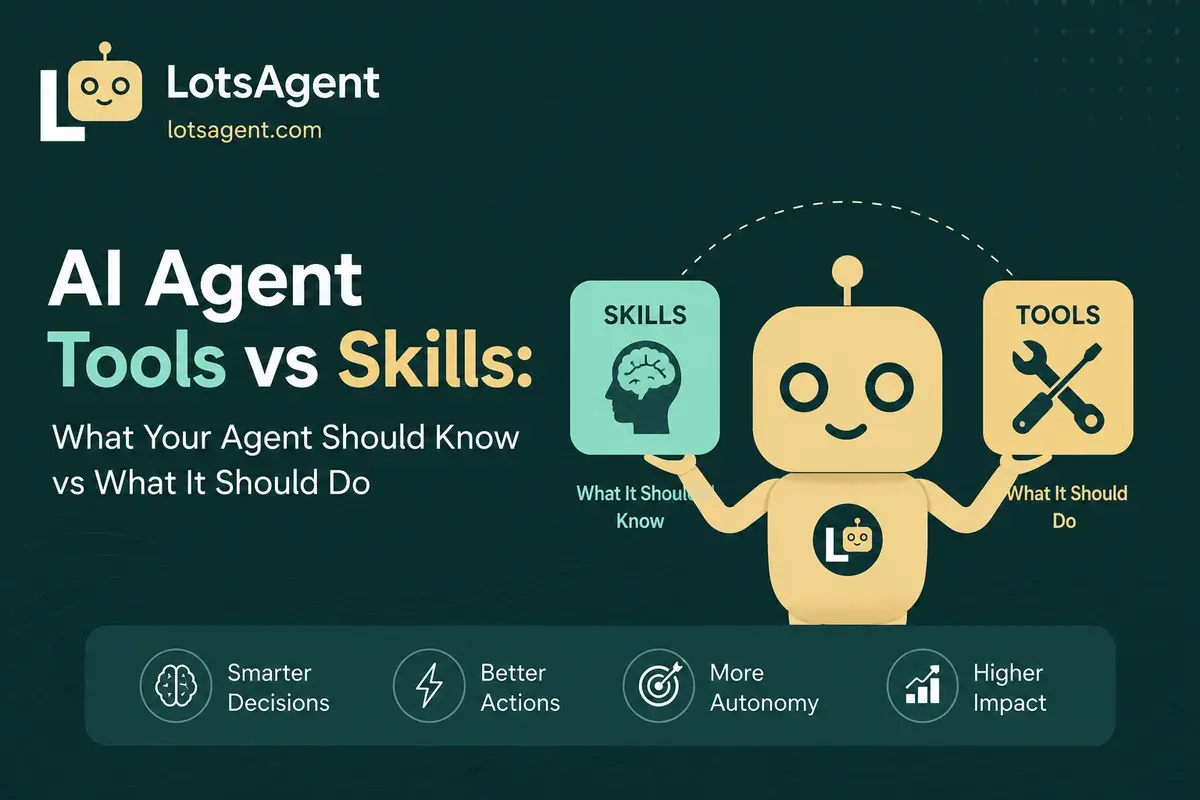
You wired up Gmail, Slack, GitHub, and a hundred other tools to your agent. It can read a calendar, send a message, query a database, fire a webhook. So you give it a task — and "mostly knows what to do" turns out to be the problem.
The agent reads an angry customer email, drafts a polite response, and sends it. Tone mismatch. It pulls a contract, summarises it confidently, and invents a clause that wasn't there. Hallucination. It routes a lead to the wrong person because the routing rules it inferred don't match how your team actually segments. Brittle inference.
None of those are tool failures. The tools worked. The agent just didn't know enough about your business to use them well. The painful gap is between what an agent can do and what it should know to do it well — and conflating those two things is the single most common reason production agents ship confidently wrong work.
The good news: the major platforms have converged on the same fix. Anthropic, OpenAI, and the open-source ecosystem now treat tools and skills as separate primitives, even when they use different vocabulary. Once you internalise the split, the failure modes above get much easier to prevent.
The Mental Model: Hands vs Expertise
Tools are the things the agent can call. They're executable functions with defined inputs and outputs — send an email, create a calendar event, update a CRM record, query a database, fire a webhook, call an API. Tools are the hands.
Skills are the things the agent knows. They're packaged expertise — instructions, templates, decision criteria, domain knowledge — that shape how the agent uses its tools. A skill might be "how to qualify a SaaS lead at our company", "our support tone of voice", or "the steps to follow when a contract is over $50k". Skills are the expertise.
Anthropic frames Agent Skills as "organized folders of instructions, scripts, and resources that agents can discover and load dynamically to perform better at specific tasks" — packaging your expertise into composable resources for Claude (Equipping agents for the real world with Agent Skills, 2025). OpenAI's Codex ships the same structure: a SKILL.md file plus optional scripts and references, with the full instructions loaded only when a skill is actually invoked (Agent Skills – Codex | OpenAI Developers). In December 2025 Anthropic published Agent Skills as an open standard for cross-platform portability, which is the clearest signal yet that this split is now the industry default.
The shorthand the New Stack uses — "agents orchestrate workflows, while skills package reusable expertise" — is the cleanest one-line version. Conflating the two is the mistake. Here's how to keep them separate.
AI Agent Tools: What the Agent Can Do
A tool is an action the agent can take on the outside world. The agent has a catalogue of tools it knows how to call. When it decides one is needed, it calls it with arguments, gets a result, and continues reasoning.
Common tool categories:
- Communication — Gmail, Outlook, Slack, Telegram, Twilio
- Calendar and scheduling — Google Calendar, Calendly
- Data and records — CRM (HubSpot, Salesforce), spreadsheets, internal databases
- Code and files — GitHub, Google Drive, S3
- Search and research — web search, Perplexity, internal knowledge bases
- Custom integrations — your own APIs, webhooks, MCP servers
In LotsAgent, the agent's tool catalogue is built from 100+ pre-built integrations via Composio (Composio's own platform currently advertises 1,000+ toolkits and 20,000+ tools, so 100+ is a conservative floor of what you can light up day one), plus API, webhook, and MCP server connections. The agent can see what's connected and call any tool that's in its allow-list. Anthropic's own guidance for teams writing effective tools for AI agents emphasises the same principle: tools are the discrete, callable surface, distinct from any judgement you want the agent to apply.
When to add a tool: when the agent needs to take an action it can't currently take. Sending an email, creating a record, looking up a customer's order — all tools.
When not to add a tool: when the problem is that the agent doesn't know how to do something well, not that it can't do it at all. That's a skill.
AI Agent Skills: What the Agent Knows
A skill is packaged expertise the agent can load and apply. It's not an action. It's knowledge — instructions, examples, decision rules, templates — that shapes how the agent reasons and how it uses its tools.
A skill typically includes:
- A description of when to use it — "Use when triaging inbound SaaS leads"
- Domain knowledge — your ICP, your tone, your team's terminology
- Decision criteria — what makes a lead qualified, what makes a response appropriate
- Templates and examples — sample emails, sample categorisations, sample phrasings
- Output format — what a completed piece of work looks like
The Anthropic and OpenAI specs both formalise this in their SKILL.md shape: a YAML frontmatter block with a name and description (so the agent knows when to load the skill), followed by the full instructions it can pull into context only when relevant. The Codex skills spec makes the discipline explicit — "progressive disclosure" — where the agent starts with each skill's name, description, and file path, and only reads the full SKILL.md when it actually decides to use it. This is what lets you build a deep skill library without burning your context window.
Concrete example — a lead qualification skill:
When triaging an inbound lead:
- Read the full message, not just the subject line
- Check the CRM for existing contact. If found, treat as expansion, not new
- Score on three dimensions: company size fit (1-5), intent signal (1-5), timing (1-5). Total ≥ 10 = qualified
- For qualified leads, draft a personalised reply using the "first-touch SaaS" template
- For borderline leads (7-9), route to the SDR queue with reasoning
- For unqualified leads, send a polite acknowledgement and add to nurture
Tone: direct, specific, no marketing-speak. Reference something concrete from the inquiry.
That skill doesn't add any new capabilities. The agent still uses the same Gmail and CRM tools. What changes is how well it uses them. The skill gives the agent the criteria, the tone, the decision boundaries, and the templates.
In LotsAgent, skills are reusable modules you build once and apply to any agent that needs them. A lead qualification skill can power your inbound agent, your webinar follow-up agent, and your partner-referral agent — all from the same source of truth. When your ICP changes, you update the skill in one place. Every agent that uses it gets the new criteria. The mechanism is the same one Anthropic describes for its own agents: skills are "composable resources" that turn a general-purpose agent into a specialised one.
When to create a skill: when the agent's quality on a recurring task depends on knowledge that lives in your team's heads, not in any tool.
When not to create a skill: when the agent is missing an action it needs to take. That's a tool gap — and the fix is to wire up the missing MCP server or API integration, not write more instructions.
Where Most Teams Get It Wrong
Three failure modes show up over and over — and they're all the same root cause: someone used a skill-shaped solution for a tool-shaped problem, or vice versa.
1. Tools Without Skills
The agent has every tool it could need. It can do anything. So why does the output feel generic, off-tone, or subtly wrong?
Because the agent is inferring your standards from scratch on every execution. It guesses at tone. It guesses at thresholds. It guesses at what "qualified" means. Sometimes it guesses right. Often it doesn't.
Fix: write the skill. Capture the criteria, the tone, the examples. Stop making the agent reinvent your playbook from scratch. The Anthropic team recommends the same workflow: "Identify specific gaps in your agents' capabilities by running them on representative tasks and observing where they struggle" (source), then build skills incrementally to close those gaps.
2. Skills Without Tools
The agent has beautifully crafted instructions about how to handle a workflow. It knows the criteria, the tone, the steps. It just… can't actually do most of the steps. No email tool, no CRM access, no way to update a record.
The agent ends up writing beautifully structured drafts and then asking you to copy-paste them into the actual systems. That's not an agent — that's an expensive email template.
Fix: connect the tools. Skills describe what good looks like; tools make it happen. If you find yourself copy-pasting between systems, the workflow isn't automated — it's just relocated. The MCP server pattern exists precisely to remove this category of friction.
3. Skills That Try to Be Tools
A team writes a "skill" that says "use the Acme API to fetch the customer's order history". That's not a skill — it's a tool wrapper in disguise. It will only work for the specific tools mentioned, and it'll break the moment those tools change. A skill that hard-codes an API call is also fragile against auth rotations, schema changes, and rate limits that an actual tool wrapper would handle.
The boundary is sharp: a skill teaches. A tool acts. If the agent is meant to call an API, that's a tool configuration (or a dedicated MCP server). If the agent is meant to know what to do with the data once it has it, that's a skill.
How Tools and Skills Work Together
Here's the actual flow in a well-configured agent, using a SaaS lead triage example.
- Trigger fires — A new inbound arrives in the shared inbox
- Agent loads relevant skills — "Inbound lead triage" skill, "Our ICP" skill, "Tone of voice" skill (each one is discovered from its
nameanddescriptionmetadata, per the Codex skills spec) - Agent selects a tool — Reads the email via Gmail
- Agent applies skill criteria — Uses the ICP skill to evaluate fit, the triage skill to score intent and timing
- Agent selects another tool — Queries the CRM via HubSpot tool
- Agent applies skill again — Uses the expansion-vs-new logic from the triage skill
- Agent selects another tool — Drafts a reply via Gmail, routes to SDR via Slack
- Agent reviews against skill — Checks the draft against the tone-of-voice skill before sending
Notice the rhythm: tool, skill, tool, skill, tool, skill. Tools are the verbs. Skills are the standards the agent applies between verbs. Strip either layer and the workflow degrades.
This is the agentic workflow pattern — but with skills added, the same agent handles a wider variety of work consistently, and the memory it builds up over time (what to store, what to forget) becomes a third leg of the same stool.
A Decision Framework: Tool, Skill, or Neither?
When you're tempted to add something to an agent, ask three questions.
1. Is the agent missing an action it needs to take? → Add a tool. Connect Gmail, Slack, the CRM, the API. Make the action possible.
2. Is the agent capable of the action but inconsistent in how it uses it? → Write a skill. Capture the criteria, the tone, the templates. Make the action reliable.
3. Is the action something only a human should take? → Neither. Configure a review step. Let the agent draft the work and a human approve before it executes. That's not a tool gap or a skill gap — that's a human-to-the-loop control decision.
Run this three-question test for every new capability you consider adding. It keeps the agent's tool list focused on actions and the skill library focused on expertise, without overlap. If you can answer "tool" or "skill" for every gap, the agent's configuration will stay clean.
Skills as an Open Standard: Where the Industry Is Heading
The convergence is real and it's now formal. Anthropic published the Agent Skills specification as an open standard for cross-platform portability in December 2025. OpenAI's Codex builds on the same SKILL.md shape (Codex skills spec). The two structures are deliberately aligned — a skill is a directory with a SKILL.md file plus optional scripts and references, and the name and description frontmatter is what the agent uses to decide when to load it. The open-source ecosystem has rallied around the same convention.
Two practical implications:
- Skills are becoming portable. A skill you author for one agent platform can travel to another with minimal rewriting, because the file shape and progressive-disclosure discipline are now shared.
- The difference between a tool and a skill is converging too. Tools remain the executable surface — Anthropic's tool-use docs still treat them as discrete callable functions. Skills remain the packaged expertise that shapes how tools are used. Both are first-class primitives, and both platforms ship first-class primitives for each.
For operators, the practical takeaway is: invest in skills early. Tools are commodities — 100+ integrations are a baseline expectation, and MCP means the long tail of "but we use this weird internal tool" is solvable too. Skills are where your business's specific way of working lives. They're harder to build, but they're the actual moat.
The Tradeoff: What You Don't Get
Skills aren't free. A few honest constraints:
- Bad skills produce confidently wrong work. A skill that misstates your ICP will produce confidently misrouted leads. The agent will sound authoritative while being systematically wrong. Review skills the same way you'd review a new hire's first week of decisions. The Anthropic skills guide is direct about this: "Monitor how Claude uses your skill in real scenarios and iterate based on observations."
- Skills decay. Your ICP changes, your tone shifts, your templates get stale. Skills need a refresh cadence. Build in a date or condition that flags a skill for review — and treat skill maintenance the same way you'd treat onboarding documentation for a new hire.
- Skills don't add new capabilities. An agent with a perfect lead-qualification skill but no CRM tool still can't update a record. Skills are the standards, not the actions.
- Skills can carry security weight too. Anthropic explicitly warns that skills can include executable scripts and resources, which means a malicious or sloppy skill is an attack surface. Audit skills the same way you'd audit an installed dependency.
The fix is the same audit pattern as the rest of the agent: review skills quarterly, version them, and require human sign-off for high-stakes decisions the skill informs.
Where LotsAgent Fits
LotsAgent treats tools and skills as separate primitives on purpose.
- Tools are the 100+ integrations (Gmail, Slack, GitHub, Google Calendar, HubSpot, Notion, and more) plus API, webhook, and MCP connections. You connect them; the agent uses them. The wire-up follows the same MCP pattern Anthropic standardised so any tool that exposes an MCP server can become agent-callable in minutes.
- Skills are reusable knowledge modules you build once and assign to any agent that needs them. Update the skill, every agent that uses it gets the update.
- Subagents let you split work — a triage agent uses the lead-qualification skill; a separate research agent uses a company-research skill. Each one stays focused, and the handoff between agents is explicit. The memory each subagent builds up becomes its own asset rather than one tangled context.
The result: a clear boundary between what the agent can do (tools) and what it knows to do well (skills). You can audit both. You can change both. You can apply the same skill to ten agents without rewriting it ten times.
If you don't want to write skills from scratch, the No-Code AI Agent Builder walks you through configuring agents in plain English — the builder translates your description into the right tool list and skill suggestions. And if you're building a workflow that should read email, make a decision, and follow up without a human in the loop, the end-to-end email decision agent pattern is a working example of the tools-and-skills split applied to a real workflow.
If you're still on the fence about whether you need an agent platform at all, AI workflow automation vs AI agents is the shorter read that clarifies where the line falls.
Create your first agent free at lotsagent.com.
FAQ: AI Agent Tools vs Skills
What's the difference between an AI agent tool and a skill?
A tool is an action the agent can take — sending an email, creating a record, calling an API. A skill is packaged expertise the agent applies — your qualification criteria, your tone of voice, your decision rules. Tools are the hands; skills are the know-how. The agent uses tools to act and skills to decide how well it acts. Both Anthropic's Agent Skills spec and OpenAI's Codex skills docs now formalise this split.
Can an agent work without skills?
Yes, but the output will be generic and inconsistent. The agent will infer your standards from scratch on every execution, which means it guesses at tone, thresholds, and decision rules. Skills turn that guesswork into consistent behaviour, especially across similar recurring tasks.
How many skills should an agent have?
As few as possible, and as reusable as possible. If three agents need to know the same ICP, write one ICP skill and assign it to all three. A bloated skill library creates contradictions and update overhead — and the longer the skill list, the more you spend context window on metadata before the agent even starts the task (Codex explicitly caps the initial skill list to roughly 2% of the context window for this reason). Aim for skills that encode your business's durable knowledge, not one-off instructions.
Where do tools and skills overlap with memory?
Memory is the agent's runtime state — what it knows about a specific user, a specific conversation, a specific past execution. Skills are static expertise the agent loads when relevant. Tools are actions the agent can take. Memory tells the agent "this customer has had three shipping delays"; skills tell the agent "when triaging a support case, check the order history first"; tools let the agent actually look up the order history. The three layers are distinct — and worth designing separately. See what to store, what to forget for the memory side.
How do I know if my agent needs a tool or a skill?
Use the three-question test: Is the agent missing an action it needs to take? Add a tool. Is the agent capable of the action but inconsistent? Write a skill. Is the action something only a human should take? Add a review step. If you can answer "tool" or "skill" for every gap, the agent's configuration will stay clean.
Are skills a standard or a vendor-specific concept?
Both. The skill concept is now a cross-platform open standard — Anthropic published the Agent Skills spec for cross-platform portability in December 2025, and OpenAI's Codex skills build on the same SKILL.md shape. Different platforms call them by different names and store them in different places, but the underlying idea is the same: packaged expertise, with a name and description for discovery and a full body of instructions the agent loads only when the skill is relevant.
Is MCP related to tools and skills?
MCP — the Model Context Protocol, introduced by Anthropic in November 2024 — is a standard for how tools get exposed to agents. It's the wiring layer, not the knowledge layer. A tool that speaks MCP can be plugged into any MCP-compatible agent without a custom integration. So MCP solves the tool problem; skills solve the knowledge problem. They're complementary, not competing.