 LotsAgent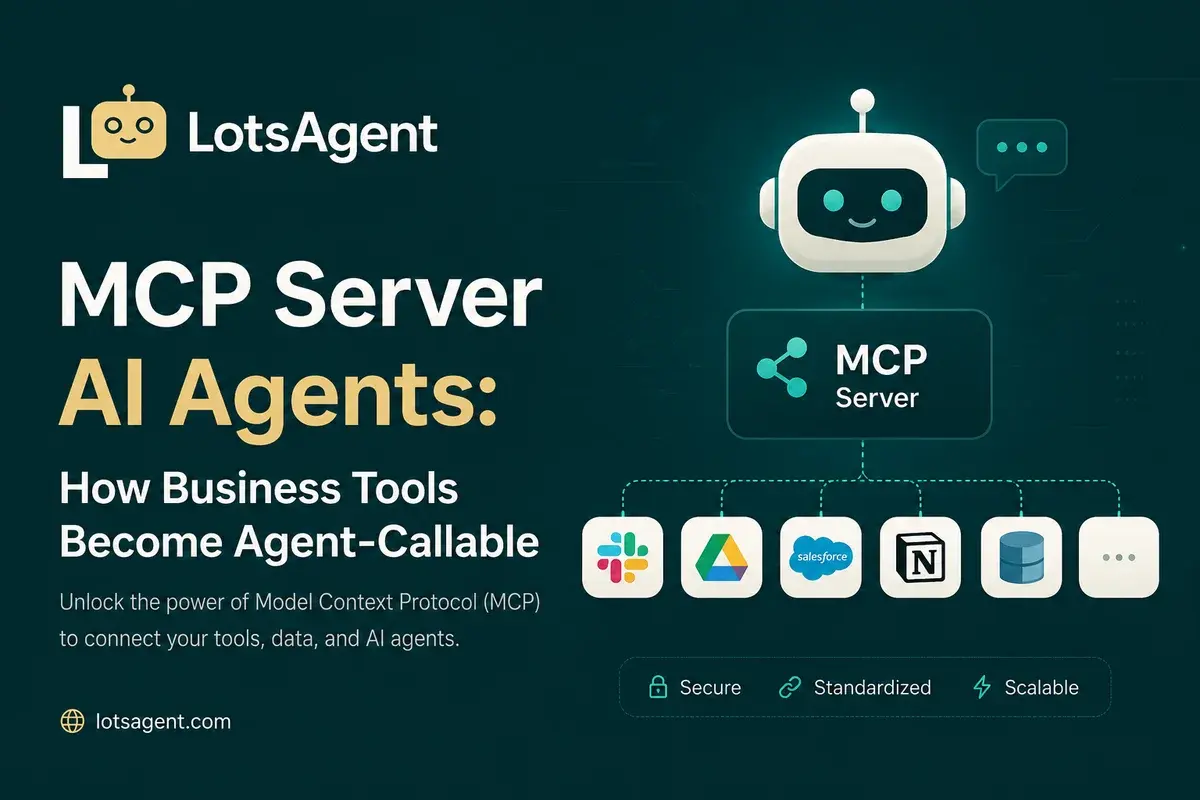
Your CRM has an API. Your email has an API. Your project management tool has an API. But can your AI agent call them without you building a custom integration for each one, separately?
That's the problem MCP solves. Model Context Protocol is how business tools become agent-callable — without bespoke integration work for every new connection.
The Integration Problem
Before MCP, connecting an agent to a business tool meant:
- Reading the tool's API documentation
- Building authentication (OAuth flows, API keys)
- Handling rate limits and errors
- Normalizing data between formats
- Maintaining the integration when APIs change
For one tool, that's a week of work. For your full stack — CRM, email, calendar, Slack, project management, analytics — that spirals into months of custom code, one-off connectors, and ongoing maintenance.
MCP changes this. Instead of building custom integrations, agents connect to tools via a standardized protocol. Build once, use everywhere.
What MCP Actually Is
MCP (Model Context Protocol) is a communication standard for AI agent-to-tool interaction. Think of it as USB for AI — a universal connection standard that replaces the custom wiring each integration requires.
The Model Context Protocol was open-sourced by Anthropic in late 2024 and has since grown rapidly: MCP server downloads increased from roughly 100,000 in November 2024 to over 8 million by April 2025, with over 5,800 MCP servers now available across the ecosystem (per CData's 2026 analysis).
Without MCP: Your agent needs a custom integration for Gmail, a different one for Notion, another for HubSpot. Each integration is separate code you maintain, and each breaks when the tool's API updates.
With MCP: Your agent connects to an MCP server that exposes tools in a standardized format. Add a new tool? Connect to its MCP server. No custom code per tool.
MCP Servers: The Agent's Tool Library
An MCP server is a service that exposes tools to agents in the MCP format. When your agent needs to check a calendar, send an email, or query a database, it calls the MCP server — not the tool directly.
This matters for business tools because:
Standardized access Your agent doesn't need to know how HubSpot's API works. It calls the HubSpot MCP server, which handles the complexity. When HubSpot updates their API, you update the MCP server — not every agent that uses it.
Composable capabilities MCP servers can stack. Your agent connects to multiple MCP servers simultaneously — one for email, one for calendars, one for CRM, one for internal databases. Each is maintained independently; your agent sees them all as available tools.
Ecosystem growth As more tools build MCP servers, your agent's capabilities grow without code changes. Connect to a new MCP server; your agent can now use that tool — no wiring required.
LotsAgent and MCP
LotsAgent includes a native MCP server. This means:
Your agents can consume MCP services Connect your agents to external MCP servers. As the MCP ecosystem grows, your agents gain new capabilities by connecting to new servers.
External agents can call your agents External AI systems built with MCP support can call your LotsAgent agents. This opens inter-agent workflows and ecosystem integration.
100+ business tools become agent-callable via MCP The tool integrations in LotsAgent — Gmail, Slack, GitHub, Google Calendar, HubSpot, and more — are accessible via MCP out of the box. The integrations are already built and maintained; you configure and deploy.
As covered in How to Give Your AI Agent Access to 100+ Tools Without Writing a Single Integration, pre-built MCP-style tool integrations eliminate the custom wiring that would otherwise hold your agent back.
What This Means for Your Workflows
Before MCP: Lead qualification required a custom HubSpot integration, a custom LinkedIn API integration, and a custom Gmail integration. Each took a week to build. Total: three weeks of integration work before the agent does anything useful.
With LotsAgent: Lead qualification uses pre-built tool integrations. Configure the agent, connect the tools, deploy. The integrations are already built and maintained.
Expanding further: Need a new tool? If it has an MCP server, you connect it in minutes. If not, LotsAgent's API and webhook support handle most integrations.
The Practical MCP Stack for Business Teams
Here's what a typical business MCP setup looks like:
Communication layer:
- Gmail MCP server (email read/write)
- Slack MCP server (messaging)
Productivity layer:
- Google Calendar MCP server (scheduling)
- Notion MCP server (knowledge base)
Business layer:
- HubSpot MCP server (CRM)
- Stripe MCP server (billing/payments)
Operations layer:
- GitHub MCP server (code review, issue tracking)
- Linear MCP server (project management)
Your agent orchestrates across all of them. You configure the connections; the agent works with all the tools from one setup.
MCP + Durable Execution
MCP handles how your agent talks to tools. But what happens when a step fails mid-workflow — a network error, a rate limit, a tool that times out?
That's where durable execution comes in. When combined with MCP, your agent can pause, checkpoint its progress, and resume exactly where it stopped — rather than restarting from the beginning every time something hiccups. See what this stack looks like in practice.
MCP vs. Direct API Integration
You don't have to choose. MCP and direct API access serve different purposes:
| Use Case | Approach |
|---|---|
| Standard business tools (email, calendar, CRM) | MCP |
| Custom/internal tools with no MCP server | API or webhook via LotsAgent |
| Proprietary systems | Direct API integration |
| One-off data queries | Webhook trigger |
LotsAgent supports all of these. MCP is the fastest path to common business tools; direct integration handles the rest.
Getting Started
LotsAgent's MCP server is available on all plans. Configure your MCP connections in the dashboard, plus API and webhook support for custom tools and internal systems. Your agents gain the ability to call external MCP services, and external systems can call your agents via MCP.
For developers building custom MCP servers or integrating with the LotsAgent MCP endpoint, check out the MCP documentation.
Create your first agent free at lotsagent.com.
FAQ: MCP Servers for Business AI
What's the practical benefit of MCP for a business team?
MCP standardizes how your agents connect to business tools. Instead of building custom integrations for each tool — which requires API expertise and ongoing maintenance — you connect to MCP servers. When tools update their APIs, the MCP server updates; your agent keeps working without changes. The MCP ecosystem has grown to over 5,800 servers, covering most standard business tools.
Does LotsAgent support MCP?
Yes. LotsAgent includes a native MCP server. Your agents can consume external MCP services, and external AI systems can call your LotsAgent agents via MCP. The 100+ tool integrations in LotsAgent are also accessible via MCP.
How is MCP different from webhooks?
Webhooks are one-way triggers: when something happens in Tool A, notify Tool B. MCP is bidirectional communication: your agent can both read from and write to connected tools, with full request/response cycles. MCP enables complex multi-step workflows; webhooks enable notifications.
What business tools have MCP servers?
The MCP ecosystem has grown rapidly since Anthropic open-sourced the standard in late 2024. Common ones include: Gmail, Slack, GitHub, Google Calendar, Notion, HubSpot, Stripe, Linear, and more. The official MCP ecosystem page maintains an up-to-date list.
Can I use MCP with my internal tools?
If your internal tools expose an MCP server, yes. If not, LotsAgent supports direct API integration and webhooks for custom systems. MCP is the fastest path for tools that already have servers; API and webhook support handles custom work.
Do I need to build my own MCP server?
Only for custom tools that don't have one. For standard business tools, you connect to existing MCP servers. For proprietary systems, you can build a custom MCP server or use LotsAgent's API and webhook support directly.