 LotsAgent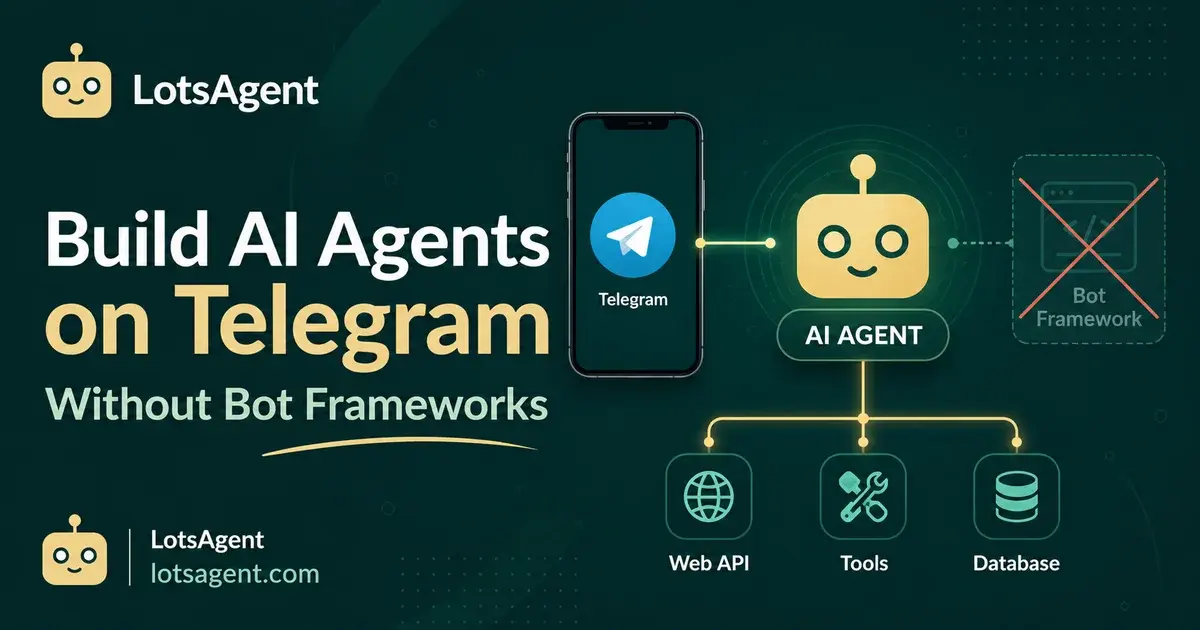
By 9:14 a.m. on a normal Tuesday, Telegram has already done the work your CRM was supposed to. A returning customer drops a question in your support group. A partner pings a private channel about a missing deliverable. A billing escalation sits unread because you were on a call. The "ops desk" the chat app replaced is real, and it is the place where deals move and customers decide whether to stay.
If you have ever tried to fix that with a "Telegram bot," you also know the limit. You stand up a webhook receiver. You parse Update objects by hand. You write one handler per intent because the framework has no model in it. You bolt an LLM call on top, then discover it has no memory, no tools, and no shared context with the email agent that already runs your inbound. A year later, the bot is "mostly working" and you still copy-paste from Telegram into your CRM at the end of each day.
That is the gap an ai agent telegram setup is built to close. Not a smarter bot, but the same agent you already trust on email and the web, now reachable from the chat app your customers and partners actually use. No second framework. No separate webhook receiver. No duplicated memory. This is the same playbook the email-decision-followup workflow walks through, applied to a different surface. The agent is identical. The channel is just Telegram.
Why a Telegram bot framework is the wrong tool in 2026
The Bot API keeps moving. Bot API 10.0 shipped on 8 May 2026 and added a real Guest Mode (bots can receive messages and reply in chats they are not a member of), expanded Chat Management, media in Polls (including media inside poll options and quiz explanations), members_only and country_codes poll parameters, a lower minimum of one poll option, and live photo support. The framework ecosystem is mature on top of it — python-telegram-bot, aiogram, telegraf, telebot — well maintained, widely used, and getting better every release.
None of them is the problem. The problem is the shape of work Telegram now carries.
A Telegram bot framework gives you:
- A way to receive updates (long polling or webhook)
- A router that matches an incoming message to a handler
- A way to call
sendMessage,editMessageText, and friends
It does not give you:
- Reasoning. The handler still decides the reply. "If message contains 'refund', call
refund_handler" is the same brittle trigger logic you outgrew in Zapier. It cannot infer that "I'm leaving because nothing ever works" is a cancellation request from a customer you should never have lost. Slack's own comparison of AI agents vs. chatbots makes the same point: chatbots wait for input and follow static programming, while agents learn, act proactively, and pull in context. - Memory across conversations. Every incoming update is a stateless event. You wire a database in by hand. The bot has no idea what this customer asked last Tuesday, or what the agent already promised the partner.
- Tool execution. A bot framework can call the Bot API. It cannot call your CRM, your billing system, or your order lookup. You wire each one in by hand, per handler.
- Shared state with the rest of your stack. The Telegram bot is its own service. It does not know about the agent that handles email. It does not know the customer's plan tier, the last invoice status, or the open support ticket.
- Failure handling that survives a half-finished reply. A webhook timeout or a missed send means the conversation just stops. There is no durable execution built in. You write retry logic per endpoint, and you have to respect the Bot API's flood limits — which is more nuanced than a single number suggests.
The 2026 stack has a better option: skip the bot framework, and put an agent on the channel.
What "AI agent Telegram" actually means in practice
There is a meaningful difference between a "Telegram bot" and an "ai agent telegram" deployment, and it shows up the first time a customer writes something the original handler list never anticipated.
Picture a real Tuesday morning. A returning customer writes in your support group:
"Hey, I ordered the Pro plan last week, the email said it shipped, but I never got a tracking number. Can you check?"
A bot framework routes that to a "tracking" handler, looks up the order in whatever single system you hard-coded, and replies with a tracking link. If the question has a wrinkle — a partial refund, a backorder, a billing question — the bot stalls or hands off to a human with no context.
An agent on Telegram reads the message, decides what the customer actually needs, and acts:
- Reads the message in context. The agent has the full Telegram update, the customer's prior DMs, the partner channel history if relevant, and the agent's own memory of past interactions.
- Looks up the order. Calls the order-management tool. Finds the shipment, sees the carrier label was created but the handoff never happened.
- Checks the CRM. Confirms the customer is on Pro, sees they opened a billing ticket two weeks ago, sees a note that they almost churned in March.
- Drafts a real reply. Not a template. A specific message: "I can see the label was created but the carrier never scanned it in. I'll reissue it now and email you the new tracking within five minutes. Sorry about that." Sends it in the same Telegram thread.
- Escalates only when it should. The agent's configured boundary for this workflow: it can reply to a known customer, it can reissue a label, it cannot issue a refund or change a plan. The refund question goes to a human reviewer with the full context attached.
That sequence — read, reason, act, escalate — is the same pattern the email-decision-followup workflow runs on a different channel. The agent does not learn a new skill per surface. It is configured once, with identity, memory, tools, and boundaries, and then reaches the work wherever the work arrives.
How Telegram rate limits actually work (and why the numbers matter)
Telegram does not publish a hard rate-limit table. It publishes a Bot FAQ with three safe assumptions that any production bot has to respect:
- Per chat, no more than one message per second. The Bot FAQ says "when sending messages inside a particular chat, avoid sending more than one message per second. We may allow short bursts that go over this limit, but eventually you'll begin receiving 429 errors."
- Bulk broadcasts cap at roughly 30 messages per second globally. "If you're sending bulk notifications to multiple users, the API will not allow more than 30 messages per second or so. Consider spreading out notifications over large intervals of 8–12 hours for best results."
- Per group, no more than 20 messages per minute. "Your bot will not be able to send more than 20 messages per minute to the same group."
The honest framing — confirmed by the grammY maintainers — is that these are not fixed thresholds. Telegram enforces them as flexible flood controls tuned to your bot's payload size, traffic, and history. Hitting 429 is not a ban; ignoring 429 is. The right pattern is to send as fast as you can, respect every retry_after, and let the queue space things out. That is exactly the pattern a bot framework makes you reinvent, and exactly the one a platform with a single outbound queue gets for free.
Setting it up in LotsAgent
The setup is short because the platform already has the pieces. This is the part that does not look like a "build":
- Create the agent. Describe it in plain English. The Agent Builder configures identity, role, goals, and system prompt. The brief that comes out of that conversation is the same one used for email, the web UI, and the API.
- Connect the tools. Gmail, the CRM, the order system, the billing tool — all the tools already in the platform's 100+ integration catalog via Composio. The agent uses the same tools whether the trigger is an email, a webhook, or a Telegram message.
- Enable the Telegram channel. One toggle. No webhook URL to register, no certificate to manage, no reverse proxy. The platform handles the Bot API integration with Telegram's servers and routes incoming updates to the agent.
- Define the boundary. Which Telegram actions are automatic (replies to known contacts, internal lookups, status updates in a group), and which require explicit human approval (sending to a new contact, posting in a public channel, executing a refund, changing a subscription).
That's the whole configuration. No python-telegram-bot install. No Flask webhook endpoint. No long-polling worker.
The agent on Telegram runs on the same durable execution layer that powers the email workflow. If the order lookup times out and the reply is half-sent, the platform checkpoints and retries from the last successful step — not from the customer's first message. You do not have to write that retry logic, and you do not have to debounce against the Bot API's per-chat message limits yourself.
The part most teams skip: human control on a chat surface
A Telegram channel is the worst place to ship a poorly bounded agent. A customer can DM at 2 a.m. A partner can forward a screenshot of a contract. A group can include someone you did not expect. Speed matters, but so does judgment.
Three rules I would not ship a Telegram agent without:
- The first 10 actions get a human in the loop. Use the 30-minute agent audit pre-flight, then keep an explicit review step on the first 10 Telegram replies the agent sends. You read them, you confirm the boundary held, and you turn the review off only when the last 10 looked right.
- Group behavior is not DM behavior. DMs from known contacts can be handled automatically. Group messages should default to a draft-and-approve flow — the agent posts into a private review thread with the proposed public reply, and a human taps "send" before it lands in the group. Telegram moves fast; the cost of a wrong public message is higher than the cost of a slow one.
- Every Telegram action is logged. The platform's audit trail captures the incoming message, the agent's reasoning summary, the tools it called, and the reply it sent. If something goes sideways with a customer, you can see exactly what the agent did and why. No scrolling through logs in three different services.
The agent orchestration layer makes this practical: the Telegram-facing agent handles triage, then hands off to a dedicated billing agent or a human reviewer when the workflow crosses a configured boundary. You do not need one mega-agent that knows everything; you need a clear handoff model.
Build it yourself vs. put an agent on the channel
A reasonable engineering team can build a Telegram bot in a day. A reasonable engineering team cannot build a Telegram-reasoning-memory-tools-durable-auditable agent in a day. That is the actual build-vs-buy trade-off in 2026.
The framework path looks short at the start. You pick a library, register a bot token with @BotFather, wire a webhook, and you have a /start command in an afternoon. The bill comes later, and it comes in four places:
- Reasoning. You add a model call, then add the prompt engineering, then add the fallback when the model misclassifies, then add the eval set so you know which way it is misclassifying.
- Memory. You pick a store, schema the conversations, write the read/write paths, and keep that store in sync with the email agent that already has memory. Now you have two sources of truth about the same customer.
- Tools. You wire each external system (CRM, billing, orders) as a bot-framework handler, with its own auth, retry, and timeout policy. Every new tool is a new service to maintain.
- Durability. You write the checkpoint logic so a half-sent reply does not strand the customer, and you keep it in sync with the flood limits Telegram actually enforces.
If you want a /start bot that responds to two commands, a bot framework is the right tool. Stay there.
If you want an agent that reads a customer message, checks three systems, drafts a specific reply, and escalates to a human when the question hits a boundary — and you want the same agent reachable from email, the web, and the API without rebuilding — then the framework is the wrong layer to start from. The framework is glue; the agent is the work.
LotsAgent is built on that bet: the platform owns memory, tools, channels, retries, and audit, and the agent is the unit you actually configure. Telegram is one of multiple surfaces — web UI, email, API, MCP, webhooks — from the same setup.
What to do next
If you already have an email-decision-followup agent, the Telegram channel is one toggle away. If you do not, a starter top-up is enough to stand up a Telegram triage agent for a small team — LotsAgent runs on prepaid credits ($10 gets you 10,000, $1 = 1,000) with no subscription, and persistent vector memory is built in for when the agent is reasoning over weeks of conversation history. There is no Telegram surcharge — the Bot API is free to call.
Create your first agent free and enable the Telegram channel in the same setup screen as the email channel. The same agent, the same memory, the same tools — now reachable from the chat app your customers and partners already have open.
FAQ: putting an AI agent on Telegram
A few questions that come up the first time a team puts an agent on Telegram instead of standing up another bot framework.
Do I need a Telegram bot token, and where do I get one? Yes. You create a bot once via @BotFather and paste the token into the channel settings. In LotsAgent, that step is part of the Telegram channel toggle — no separate hosting, no reverse proxy, no certificate upload. The token stays scoped to the channels and groups you add the bot to.
Can the agent work in groups, or only in DMs? Both. DMs from known contacts can be handled automatically based on the agent's identity and memory. Group messages should default to a draft-and-approve flow: the agent prepares a reply in a private review thread, a human taps "send," and only then does it land in the group. The boundary is configurable per group.
What happens when Telegram rate-limits the agent? The Bot API enforces per-chat limits (about one message per second to the same chat), per-group limits (no more than 20 messages per minute to the same group), and a global broadcast cap (roughly 30 messages per second across distinct chats) — all per the Bot FAQ. The platform queues and spaces outbound sends, so a burst of inbound messages turns into a paced set of replies rather than 429 errors. You see the throttling in the audit log, not as failed customer conversations.
How does this fit the Free and Pro tiers? Every Telegram reply is one agent run, billed in prepaid credits — $1 is 1,000 credits and $10 gets you 10,000 to start, with no subscription. That covers a Telegram triage agent for a small team, and persistent vector memory is built in for when the agent is reasoning over weeks of conversation history. Bring your own model key and those runs cost no credits at all. There is no separate Telegram surcharge — Telegram itself is free to call.
Where do I see what the agent did and why? Every Telegram interaction is logged: the incoming update, the agent's reasoning summary, the tools it called, and the message it sent back. You do not have to correlate three services to reconstruct a conversation. If a reply goes sideways with a customer, the audit trail tells you exactly what the agent saw and decided.
Is this different from the email channel in practice? It is the same agent. The only thing that changes is the surface. The identity, the memory, the tool permissions, the audit trail, and the escalation rules are shared. A customer who DMs you on Telegram and emails you tomorrow is the same person in the agent's memory on both sides.