 LotsAgent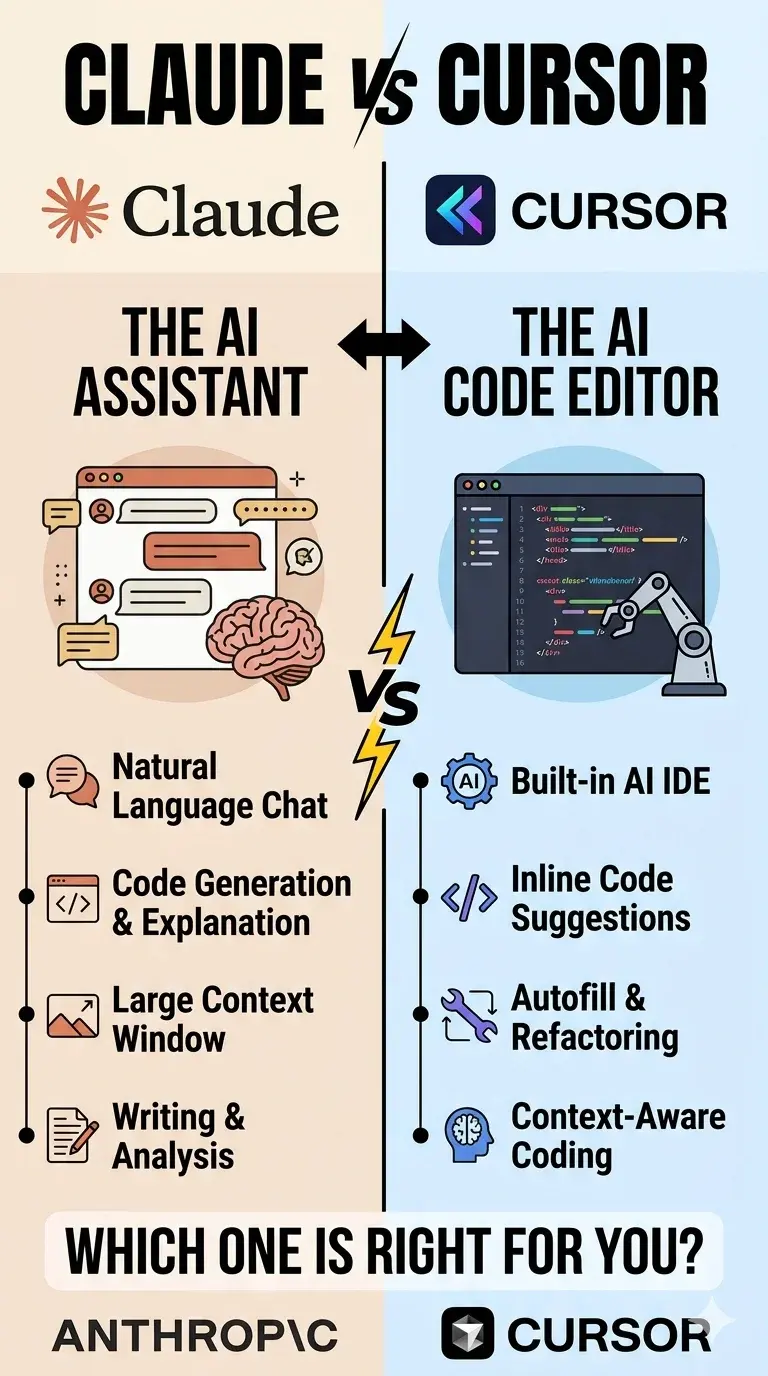
The $40/month Decision Every Developer Is Making Right Now
Two tools. Both promising to make you a 10x developer.
But they go about it in completely different ways.
One wants you to hand over the keyboard. The other wants you to never let go of it.
Welcome to the Claude Code vs Cursor showdown — and it's one of the most consequential debates in developer tooling right now. If you're building AI agents or automating workflows, the architectural choices these tools make aren't academic. They directly mirror the decisions that separate fragile automations from agents that actually hold context and get work done.
What Are These Tools, Actually?
Claude Code is a terminal-native AI agent built by Anthropic. You run it from your command line, it reads your entire codebase, and it writes, refactors, debugs, and deploys code with minimal hand-holding. Not an IDE. A CLI agent that understands code at a depth nothing else matches.
Cursor is a fork of VS Code — rebuilt around AI. Inline tab completions, powerful chat interface, multi-file editing via Composer, and an agent mode that executes changes directly in the editor. If you've used VS Code, Cursor feels instantly familiar. Just... smarter.
Same mission. Radically different philosophy.
The Architecture Split That Changes Everything
These aren't just different tools. They're different mental models for how AI should work in your workflow.
Claude Code = AI does the work You describe the outcome. Claude reads the full codebase. It figures out what needs changing across 10, 20, even 50 files. It writes. It runs tests. It loops until it works. You approve the final diff.
Cursor = You stay in control Every change happens in front of you. Inline. Visual. Incremental. Cursor suggests, you accept or reject. AI-assisted editing supercharged — not AI-driven autonomy.
This split mirrors a distinction the AI agent platform comparison already covers: workflow automation (if-this-then-that logic, you write every rule) versus agentic execution (the AI holds context, reasons across steps, and operates toward a goal). Claude Code leans agentic. Cursor leans toward intelligent autocomplete with agent capabilities layered on top.
Which sounds better? Depends entirely on what you're building. And how much you trust the AI.
The Numbers That Actually Matter (April 2026)
Let's talk efficiency. Because this is where Claude Code pulls ahead in ways that matter for your wallet — and for how you think about agent execution costs.
Independent testing found Claude Code uses 5.5x fewer tokens than Cursor for identical tasks. A benchmark task that consumed 188K tokens in Cursor's agent mode completed in just 33K tokens with Claude Code. The gap isn't marginal — it's structural.
Why the efficiency gap exists
Claude Code's agent harness — 40+ built-in tools, an autonomous execution loop, and tight context management — is engineered to work lean. Cursor's architecture, as a VS Code fork, routes more context through the editor layer. For quick edits that's irrelevant. For multi-file autonomous tasks, it compounds.
This is the same trade-off that matters when you build an agent that reads email, makes a decision, and follows up. Token efficiency isn't just a cost concern — it determines whether your agent can hold a full workflow context or runs out of budget mid-task.
On SWE-bench Verified, the industry standard for autonomous coding tasks, Claude Code scores 80.8%. That's with access to a 1 million token context window — fully available with Opus 4.6 since March 2026. No surcharge. Just the full context of your entire codebase in every session.
Cursor's Composer 2 scores in the 74% range on the same benchmark. The gap widens on complex multi-file tasks. Cursor's official blog frames this around agent experience and workflow clarity rather than benchmark scores — which is fair, but the numbers are what they are.
In blind tests across 36 coding tasks, Claude Code won 67% of the time on quality and completeness.
But here's what makes Cursor interesting: the April 2026 launch of Cursor 3 added a dedicated Agents Window with up to 10 parallel agents per user — documented on Cursor's own blog. That's a direct response to Claude Code's autonomous capabilities. Parallel agents inside an IDE is a different model than terminal-native autonomous execution — and it maps closely to how agent orchestration works when one agent hands off to another rather than running everything sequentially.
Pricing: The Credit Trap vs Rolling Limits
Both start at $20/month. Here's where they diverge.
Claude Code pricing:
- Pro: ~45 messages per 5-hour window
- Max 5x: $100/month — 5x the usage limits, Opus access
- Max 20x: $200/month — for heavy autonomous workloads
Anthropic's published averages show developers spending roughly $6 per day on API pricing — roughly $180/month for serious use. The rolling rate limit system is more predictable than credit-based billing.
Cursor pricing — credit-based since June 2025:
- Free: Limited agent requests + unlimited tab completions
- Pro ($20/month): Unlimited tab completions + $20 in credits
- Pro+ ($60/month): 3x credits + background agents
- Ultra ($200/month): 20x credits
The trap: credits deplete based on model choice. GPT-5.3 is cheap per credit. Claude Opus is expensive. Heavy users on the $20 plan report running out mid-session. High-volume users on Cursor Pro+ or Ultra have reported costs reaching $10–20 per day in heavy agentic use. Enable spend limits immediately if you're on Cursor — it's the first thing any builder using agent workflows should check.
Claude Code's rolling limits are more predictable. The $6/day average is a useful baseline — not a guarantee, but better than watching a credit meter.
The Real-World Workflow Split
Most developers who seriously try both tools land on a hybrid approach. The pattern is consistent enough that you can plan around it:
Use Claude Code for:
- Architectural refactors touching 5+ files
- Multi-file debugging across packages
- Greenfield project scaffolding
- Anything where you want to set it running and walk away
Use Cursor for:
- Daily feature iteration and inline suggestions
- Quick bug fixes and visual diffs before committing
- High-frequency tasks where the editor integration pays off
The practical split that works: roughly 60% Cursor / 40% Claude Code by time, but Claude Code handles the heavy-lifting tasks that would take multiple Cursor sessions.
Some developers run both simultaneously in the same codebase. Claude Code has a VS Code extension, and Cursor is a VS Code fork — they coexist without conflict. For builders thinking about agent infrastructure, this is a useful model: how the MCP + durable execution stack handles parallel execution is directly analogous to running multiple agents across a codebase at once.
The sweet spot combo: Cursor Pro ($20) + Claude Code Pro ($20) = $40/month for daily velocity plus deep autonomous problem-solving.
What About the Rest of the Field?
It's not just these two. The AI coding landscape expanded significantly through 2025 and 2026.
GitHub Copilot at $10/month is the best value entry point. Works in any IDE, added Claude Opus 4.6 access on Pro plans. It's the safe choice for teams that need wide IDE support and predictable pricing.
Windsurf (Codeium) is the dark horse — competitive pricing, strong autocomplete, and agent workflows at $15/month. Worth a look if you're budget-conscious.
Cursor itself is now the market leader with 1M+ users and $500M ARR — that dominance is why the Claude Code vs Cursor debate matters so much right now.
The Bigger Picture for Agent Builders
AI coding tools aren't replacing developers. They're fragmenting the developer role itself.
You now have a real choice between "AI as junior developer" (Claude Code — hands-off, autonomous, efficient) and "AI as superpower for your existing workflow" (Cursor — integrated, visual, incremental).
Neither is wrong. They're different answers to the same question: how much control do you want to give up for speed?
For AI agents that run in production, this question becomes architectural. An agent that holds context across sessions, runs on a schedule, and executes across tools needs the Claude Code mental model — not the autocomplete model. The architectural principles that make Claude Code efficient (tight context management, autonomous execution, token efficiency as a design constraint) are the same principles that make a production agent reliable.
The tools that win won't just be the most capable. They'll be the ones that help developers feel right about that trade-off in their specific context.
Quick Comparison Table
| Claude Code | Cursor | |
|---|---|---|
| Price | $20–$200/month | $0–$200/month |
| Interface | Terminal / Desktop app | VS Code fork |
| Context window | 1M tokens (native, Opus) | Model-dependent |
| Models | Claude only | Claude, GPT, Gemini |
| Best for | Autonomous multi-file tasks | Daily IDE-integrated coding |
| SWE-bench Verified | ~80.8% | ~74% (Composer 2) |
| Token efficiency | ~5.5x more efficient vs Cursor agent | Flexible but higher overhead |
| Free tier | No | Yes (limited) |
FAQ
Is Claude Code a replacement for Cursor?
No — they're complementary. Claude Code handles deep autonomous work; Cursor handles daily IDE-integrated tasks. Most serious developers use both.
Can I use both in the same project?
Yes. Claude Code has a VS Code extension, and Cursor is a VS Code fork. They coexist without conflict. Many developers run them simultaneously.
Does Claude Code work inside VS Code or Cursor?
Not natively. Claude Code is a standalone terminal/desktop application. It has a VS Code extension, but the core product runs outside the IDE. Cursor is itself a VS Code fork, so Claude Code can run alongside Cursor in the same codebase.
Which is better for beginners?
Cursor is more approachable — it's a VS Code fork with a familiar interface, inline suggestions, and visual feedback. Claude Code is more powerful for autonomous tasks but has a steeper learning curve.
How does this compare to GitHub Copilot?
Copilot is $10/month and works in any IDE, making it the best value entry point. It doesn't match Claude Code's autonomous execution or Cursor's multi-agent features, but it's solid for everyday assistance and team environments with predictable pricing.
What's the actual cost for heavy use?
Claude Code averages around $6/day on API pricing (Anthropic data), roughly $180/month. Cursor's credit-based model is harder to predict — heavy Opus users can spend $10–20/day on a $20 plan. Always enable spend limits on Cursor.
The Verdict
There's no single winner. And that's the honest answer.
Claude Code wins if you're doing complex, multi-file work and want the AI to carry the load. The 1M context window, autonomous execution model, and benchmark dominance are genuinely different from anything Cursor offers. For building agents that operate autonomously — not just assist — Claude Code's architecture maps directly to what production agent infrastructure looks like.
Cursor wins if you want AI integrated into your daily IDE flow and value visual feedback and incremental control. Cursor 3's multi-agent capabilities closed some of the gap, and VS Code compatibility means zero learning curve.
The real power move? Use both. At $40/month combined, it's the best $40 most developers can spend on tooling right now.
And if you're building AI agents rather than just writing code? Claude Code's terminal-native architecture gives you a window into how autonomous agents actually think — lessons directly applicable to building agents on platforms like LotsAgent, where the same architectural principles (persistent memory, tool use, autonomous execution, durable checkpointing) power real production agents. LotsAgent handles the infrastructure — you describe the workflow. No wiring together memory, tools, and deployment from scratch.
Want to dive deeper? Check out our comparison of OpenClaw vs Manus vs Claude Code or learn how AI agent memory actually works to understand what makes these tools actually intelligent.